
Build Smart & Interactive Menus with NativeUI

NativeUI is a powerful and easy-to-use library for creating modern, responsive in-game menus. Designed for GTA V mod developers, it helps you build clean, interactive interfaces with minimal effort and maximum performance.Simplify your game development with NativeUI — a robust UI library for crafting interactive and customizable menus in GTA V mods. Enhance user experience with smooth navigation, controller support, and flexible design.
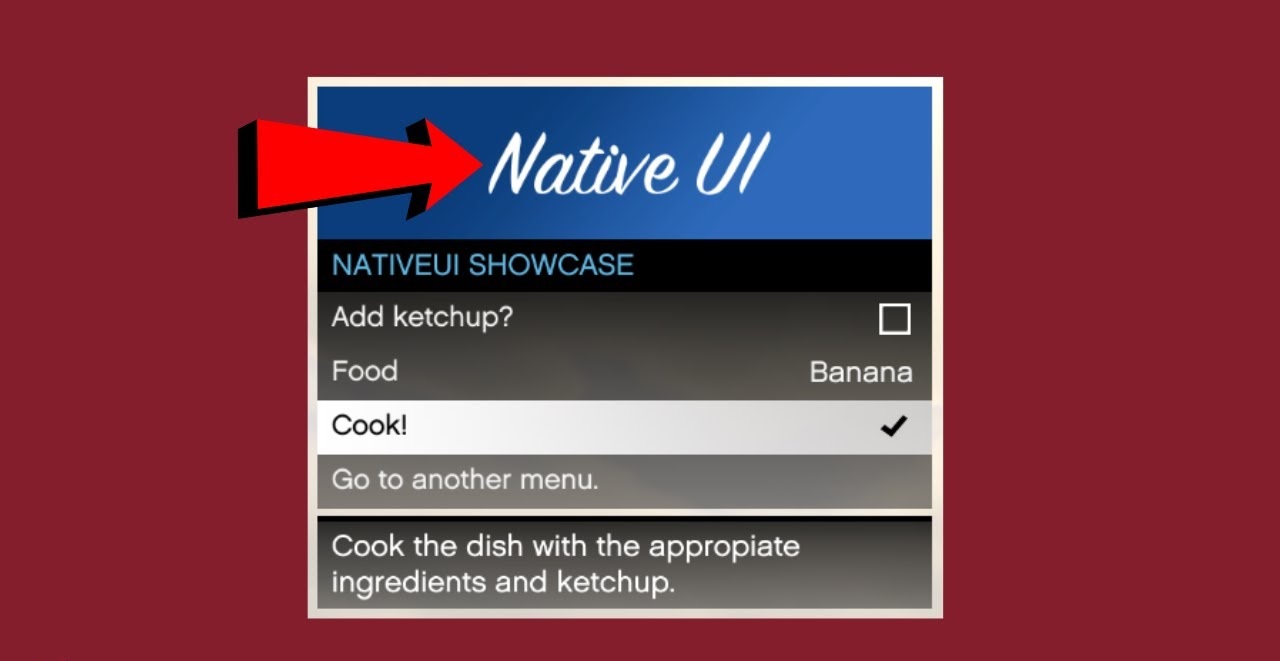
Providing the Simplest Way to Build GTA V Menus with NativeUI

NativeUI makes it easy for developers to create clean, interactive, and responsive in-game menus for GTA V mods. With simple implementation and powerful features, you can enhance user experience without complex coding.
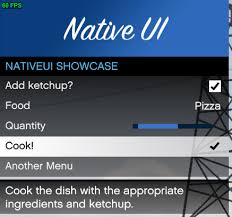
Flexible Usability

NativeUI offers an intuitive structure that allows developers to easily create and manage menus. Its flexible system lets you customize layouts, items, and interactions according to your needs.

Smooth Performance

Built for efficiency, NativeUI ensures fast and smooth menu performance inside GTA V. It minimizes lag while providing a seamless navigation experience for users.

Developer Friendly

With simple integration and clear documentation, NativeUI is perfect for both beginners and experienced mod developers. Create advanced menu systems with less effort and more control.

Built for Performance, Designed for GTA V Modders

NativeUI is crafted to deliver a smooth and visually appealing menu system for GTA V mods. It combines performance, flexibility, and simplicity to help developers create immersive in-game user interfaces with ease.
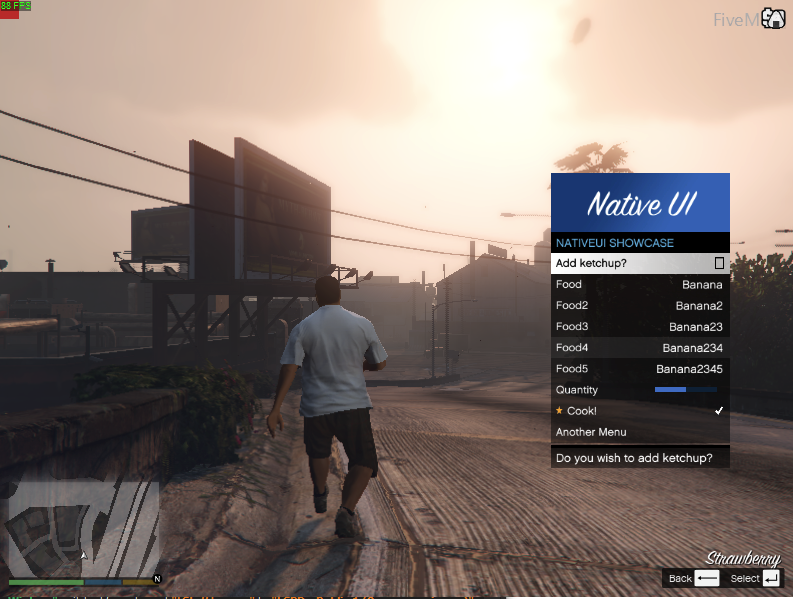
What NativeUI Offers

NativeUI provides powerful tools to help developers build smooth, interactive, and customizable in-game menus for GTA V. Designed for performance and ease of use, it enhances your modding experience.

Menu Creation

Easily create dynamic and interactive menus for GTA V mods with a simple and structured system.

Security & Stability

Built with stability in mind, NativeUI ensures safe and reliable performance during gameplay.

Custom UI Design

Fully customize your menu layout, styles, and elements to match your mod’s needs.

Performance Optimization

Lightweight design ensures smooth performance without affecting game speed.

Easy Integration

Quickly integrate NativeUI into your GTA V or FiveM scripts with minimal setup.

Developer Friendly

Clean structure and easy-to-understand functions make it perfect for all developers.

Frequently Asked Questions About NativeUI

Find answers to common questions about NativeUI, including installation, usage, and customization for GTA V mods and FiveM scripts.

General Question

Lorem ipsum dolor sit amet, consectetur adipiscing elit, sed do eiusmod tempor incididunt ut labore et dolore magna aliqua
NativeUI is a modern UI framework/library designed to help developers create clean, responsive, and user-friendly interfaces for applications and web projects. It focuses on providing ready-to-use components and design elements that speed up and standardize UI development.
 
Instead of building everything from scratch, NativeUI gives developers pre-designed elements like buttons, layouts, forms, and navigation components that can be easily customized and integrated into projects.
Yes, NativeUI is free to use. It is an open-source UI library, meaning developers can use it in their projects without paying any licensing fees.
However, depending on the version or implementation, it may be:
  • Open-source under permissive licenses (like MIT in some builds)
  • Free for both personal and commercial use
  • Subject to original author’s license terms

Important note:

Always check the official documentation or license file of the specific NativeUI version you are using to ensure compliance with usage terms.
Yes, beginners can use NativeUI, but it depends on their level of development and understanding. If you know simple HTML, CSS, or basic programming concepts, you can start using it without much difficulty.
NativeUI is designed to make UI development easier by providing ready-made components, so beginners don’t need to build everything from scratch. However, as with most UI frameworks, a bit of learning is required to understand how to integrate and customize components properly.

Payment Question

No, NativeUI is generally free to use. It usually offers a free core version that includes essential components and features, allowing developers to use it in projects without cost.
However, some versions or platforms may also offer premium components, templates, or advanced features that could require a paid plan, depending on the package you are using.
Download Now: NativeUI
No, NativeUI does not have any hidden charges when using its open-source version. It is designed to be free for developers, meaning you can use its core components without any mandatory payments.
However, like many UI libraries and developer tools, some points are important to understand:
  • The core NativeUI components are free and open-source
  • You may need to pay only if a third-party service, template, or premium extension is used alongside it
  • There are no automatic subscription fees or hidden billing inside the library itself
  • Any paid features (if offered in future versions or marketplaces) are clearly mentioned by the provider
Yes, NativeUI can usually be used in commercial projects, as it is an open-source UI framework. However, you should always check its official license to confirm the exact usage terms.

Technical Question

You can easily install NativeUI based on your project setup. It is usually added through a package manager or by integrating its source files into your project.

Steps to install:

  • Install via package manager (if available for your setup)
  • Or download the NativeUI files from the official source
  • Add/import NativeUI into your project
  • Include required dependencies if mentioned in docs
  • Start using UI components in your application

Download NativeUI and get full installation guide here: https://nativeui.net/

Yes, NativeUI supports FiveM.
It is commonly used on FiveM servers as a GUI framework to create interactive in-game menus, such as admin panels, job menus, vehicle menus, and other custom UI systems.
NativeUI helps developers build clean and user-friendly interfaces for GTA V FiveM scripts, making server features easier to access and use.

Yes, NativeUI allows you to fully customize menus.

You can modify the layout, colors, items, and structure of menus to match your project or FiveM server design. It gives developers flexibility to create simple or advanced interactive UI menus based on their needs.

Developers Feedback on NativeUI

See what GTA V mod developers are saying about NativeUI. From ease of use to performance, NativeUI has helped many creators build better in-game experiences.

Latest Updates & Guides on NativeUI

Stay updated with the latest tutorials, tips, and insights about NativeUI. Learn how to create better GTA V menus and improve your mod development skills.